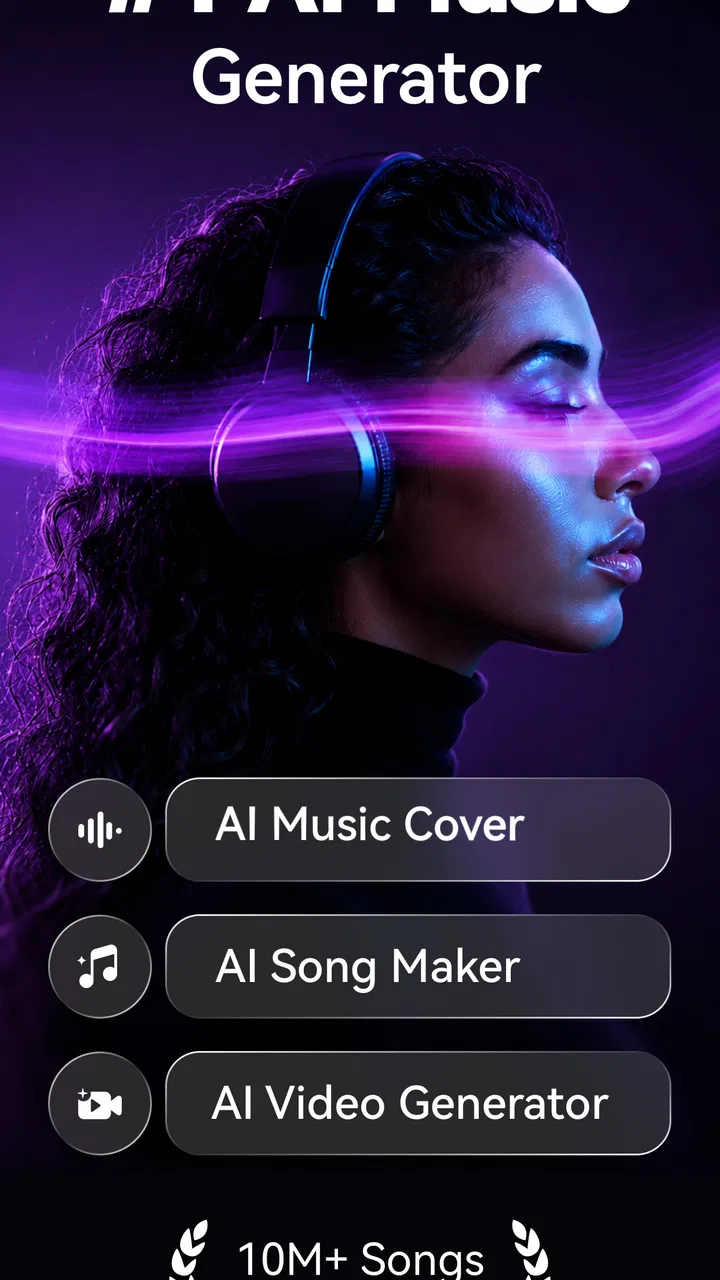
SingUp: AI Music Generator
- 3.5
- Rating
- 100.00K
- Installs
- Free
- Price

 Analysis by App-foxy
I tried SingUp: AI Music Generator as a mobile music and audio app, and my first impression was that it is aimed at people who want to do more than simply listen. Its focus is singing, cover creation, voice work, and music-video making, so the experience feels closer to a casual recording studio than to a traditional streaming service. That difference matters: you open it when you want to make something, not when you only want background music.
The app is free to install, with optional purchases ranging from $4.99 to $39.99 per item. It is made by TALENT ME TECH. and is suitable for Everyone. The current version is 2.19.1, and it runs on Android 8.0 or newer. With over 100 thousand installs, a 3.5 average from around 3.1 thousand ratings, and roughly 901 written reviews, it has attracted a meaningful audience while still showing that the experience will not suit every singer equally.
How SingUp feels when the network is part of the experience
The most important thing to understand is that this is not the same kind of music app as a local player or a conventional streaming library. Its main appeal comes from creating vocal content, and creation usually involves more than tapping play. When I approached it with the expectation of singing a cover and shaping the result into something shareable, the quality of the session depended heavily on how smoothly the app could move between recording, processing, and presentation.
You May Also Like

 Pandora - Music & Podcasts
Pandora’s Music Is Easy to Start, but Harder to Recover
Pandora’s strength is its low-effort path from a seed to a station. Its weak spot is how much confidence it asks you to place in connection, setup, and quiet recovery.

 AccuWeather: Weather Radar
AccuWeather Review: A Quick, Clear Forecast for Everyday Decisions
For everyday plans, the best forecast is the one you can understand quickly. AccuWeather makes rain timing, radar, and local conditions easy to act on, with a few trade-offs.

 Hill Climb Racing
Why Hill Climb Racing Still Turns Crashes Into One More Run
A tiny car, a bumpy hill and one more upgrade: Hill Climb Racing keeps resurfacing because its simple chaos makes every near-miss feel personal.

 AliExpress - Shopping App
AliExpress Makes Global Shopping Feel Personal, but Shoppers Bear the Risk
AliExpress turns a global marketplace into a pocket-sized discovery engine. Its reach is useful, its shopping loop compelling, and its trade-offs easy to miss.

 Lords Mobile: Kingdom Wars
Lords Mobile Is a Kingdom-Building Routine, Not a Quick Match
A case-by-case verdict on the building, battles, device demands, and social commitments that make Lords Mobile rewarding for some players and exhausting for others.

 PDF Scanner app - TapScanner
TapScanner Makes Paperwork Easier to Capture, Check, and Share
TapScanner makes scanning with a phone feel less like a rescue operation and more like a dependable step in getting work done. Its capture tools are useful, though not flawless.
More From Our News Desk
View All News


That makes connectivity a practical part of the workflow. A strong connection is especially useful when moving into an AI-assisted or music-video-oriented stage, because those moments can involve sending or receiving more material than a simple voice memo. I would avoid beginning an important recording in a place where the connection is unstable. Even if the microphone captures your voice locally during the first step, interruptions later in the process can break the rhythm of the session and make you wonder whether the take was saved correctly.
This is one reason I would treat SingUp as a planned creative tool rather than a guaranteed emergency recorder. If I am sitting at home with a reliable connection, I can give the app my attention and work through a cover without worrying about every transition. If I am on a train, in a crowded café, or switching between mobile signal and Wi-Fi, I would keep the session short and save progress whenever the app allows it.
The distinction between recording and finishing is useful. A singer may only need a quiet room and a phone microphone to capture a take, but the more ambitious parts of the experience can be less forgiving. Users should think of a finished result as a small production workflow: choose the material, record carefully, wait through any processing, inspect the result, and only then decide whether it is ready to share. That approach reduces frustration when the network becomes unpredictable.
Why the connection matters more for creators than listeners
With a normal music player, a weak connection usually means a song takes longer to start. With SingUp, a weak connection can affect the creative process itself. A delay at the wrong moment can make you lose concentration, especially when you are trying to sing a difficult line or repeat a chorus with the same energy. For casual experimentation, that may be harmless. For a performance you want to keep, it can be enough to make you redo the entire take.
I also found that connectivity changes how confidently I use the app’s more elaborate possibilities. If I know the session is stable, I am more willing to explore voice treatments and music-video presentation. If it is not, I prefer to capture a clean performance first and postpone the decorative work. This is a useful habit because it separates the irreplaceable part—the singing—from the parts that can be adjusted later.
My practical rule is simple: protect the vocal take first, then experiment with the presentation. That rule is valuable for beginners because it prevents a network hiccup from ruining the only version of a performance they like. It is also useful for experienced singers who want to compare several interpretations without wasting time rebuilding the same session.
Using it in real mobile situations
SingUp makes the most sense in everyday situations where the phone is already the easiest creative tool available. I can imagine using it after hearing a song that inspires me, during a quiet break, or at home when I want to test whether my voice suits a particular cover. The barrier is lower than setting up a computer, audio interface, and separate editing program. That convenience is the app’s strongest argument.
A realistic scenario would be a late afternoon at home. I choose a cover, put the phone somewhere stable, use earphones if available, and record several versions instead of trying to make one perfect attempt. The first take helps me find the right volume. The second lets me focus on pitch and timing. A third can be more expressive. After that, I can decide whether the voice and music-video side adds something useful or merely distracts from the performance.
That workflow also reveals an important limitation: a phone is convenient, but it is not automatically a good recording environment. Room echo, nearby traffic, fan noise, and the distance between your mouth and the microphone can affect the result more than an effect or visual treatment can fix. I recommend recording with the phone held or placed consistently, rather than moving it between takes. Consistency makes comparisons fairer and helps you identify whether a change came from your singing or from the recording position.
For people who like spontaneous social content, the music-video angle may be more attractive than detailed audio control. You can think visually about the result and create something that feels more complete than a raw vocal clip. However, anyone expecting the depth of a desktop digital audio workstation should adjust their expectations. A mobile app built around accessible singing and quick creative output is more approachable, but it is unlikely to replace a full editing setup for serious mixing, detailed vocal comping, or precise track management.
When it is a good fit—and when I would skip it
I would recommend trying it if you enjoy singing but do not want to learn complicated audio software before making your first cover. It is also a reasonable choice for users who want voice content with a visual component, rather than an audio file that stays private on the phone. Beginners can benefit from the immediate feedback of recording themselves, while more confident singers may enjoy testing different interpretations quickly.
I would be more cautious if your main need is offline listening, a large personal music library, or professional recording control. SingUp is not the first app I would choose for simply playing downloaded tracks. I would also skip it if you dislike waiting during processing or if you regularly work in places with unreliable internet. In those situations, a basic recorder or a traditional offline audio tool may be less ambitious but more dependable.
Another trade-off concerns privacy and data awareness. Any creator should think before sending a personal vocal performance into a connected creative workflow. I would avoid recording sensitive conversations, private material, or anything I would not want processed as part of an online music experience. The safest habit is to use the app for performances you are comfortable handling through a connected service and to review each sharing decision instead of treating every result as public by default.
Recording habits that make the mobile workflow better
The first useful technique is to separate rehearsal from production. I would not begin by trying to create the final music video immediately. Instead, I would sing a short section to check the key, pacing, and microphone position. This small test can expose a bad room setup before you spend time on a complete performance. It also gives you a chance to notice whether the backing music is masking quiet parts of your voice.
The second technique is to keep your phone position fixed. This sounds obvious, but it is easy to hold the device differently from one attempt to the next. A small change in distance can alter volume and room sound. If you are comparing takes, place the phone at the same height and angle each time. I would also keep the room as quiet as possible and avoid tapping the screen while recording.
A third insight is to treat visual creation as a separate decision, not an automatic improvement. A music video can make a cover feel more finished, but visuals cannot compensate for a weak vocal take. I prefer to choose the strongest performance first and then decide whether the visual layer supports its mood. For a gentle song, excessive visual activity may compete with the voice; for a lively performance, it may make the result feel more engaging.
There is also a useful recovery strategy for interrupted sessions. If the app slows down or the connection becomes unreliable, I would stop adding new creative layers and preserve the simplest successful version. In practice, that means keeping the clean vocal attempt before trying another transformation or presentation step. This creates a fallback that is easier to revisit when the connection improves.
Finally, I would plan data use rather than leaving the app running through repeated experiments on mobile data. Recording several takes is one thing; repeatedly processing and previewing elaborate results can be more demanding. I would do exploratory work over a trusted Wi-Fi connection when possible, then use mobile data for shorter checks. This is not about avoiding the app’s creative features; it is about reserving them for attempts that are worth processing.
What happens when something goes wrong
Every connected creative app needs a little patience, and SingUp is no exception. A failed transition can be more annoying here than in a basic recorder because the user has invested emotional effort in the performance. If a take does not appear immediately, I would resist pressing buttons repeatedly. I would first check whether the connection has stabilized, then give the app a moment before attempting the action again. Repeating commands during a delay can create confusion about which version was actually accepted.
I would also avoid closing the app immediately after finishing a recording or starting a processing step. Letting the current action settle is a sensible precaution, particularly when the phone is switching networks or has limited available resources. If the result is important, I would make a note of which take I selected and keep the original performance available until I am satisfied with the processed version.
When a result sounds wrong, I would not assume the problem is the AI or the effect. First check the basics: was the phone too far away, was the backing track too loud, did the room echo, or did the singer move during the take? This diagnostic order saves time. Mobile processing can polish a recording, but it cannot reliably replace a clean source.
The same thinking helps with sharing. I would listen to the entire result before sending it to anyone, especially if the app has combined voice and visual elements. A short preview may not reveal a timing issue or an abrupt change later in the performance. Taking that extra minute is worthwhile because it prevents an unfinished version from becoming the one friends see first.
How it compares with familiar alternatives
Compared with a standard voice recorder, SingUp is more creatively ambitious. A recorder is better when speed, simplicity, and a dependable local capture are the only priorities. SingUp is more interesting when you want the vocal performance to become a cover or a music-video-style piece. The trade-off is that the richer workflow introduces more steps and more dependence on a stable connection.
Compared with a streaming music app, it serves a completely different purpose. Streaming apps are built around discovery and playback; this one is built around participation. If you want to browse songs for hours, SingUp may feel limited as a primary music destination. If you want to put your own voice into the experience, it offers a more personal reason to open the app.
Compared with desktop recording software, the advantage is accessibility. I can begin with a phone instead of learning a complex interface. The disadvantage is control. A desktop setup remains the better option for detailed editing, layered arrangements, and repeatable studio work. I see SingUp as a convenient creative middle ground: more expressive than a memo app, less demanding than professional production software.
Who should download it?
The free entry point makes it easy to test whether the workflow suits you before spending anything. I would begin without purchasing, record a simple cover in a quiet room, and pay attention to three things: how comfortable the recording process feels, how well the connected steps fit your internet situation, and whether the music-video side genuinely adds value for you. The optional purchases, priced from $4.99 to $39.99 per item, make it especially important to understand what you will actually use before committing.
The app is best for casual singers, aspiring creators, and people who want a quick path from performance to shareable content. It is less suitable for someone who wants a private, offline-first recorder or a highly technical audio workstation. Age-wise, its Everyone rating makes it broadly approachable, but younger users should still be guided to make thoughtful choices about sharing their voice and appearance online.
My overall view is positive but measured. SingUp gives mobile singers a more engaging goal than simply saving a voice memo, and its combination of covers, voice creation, and music-video presentation can make practice feel rewarding. Its weaknesses come from the same ambition: the experience is more dependent on connection, processing, and careful workflow than a basic recorder.
If your phone is usually connected and you enjoy experimenting with your voice, I think it is worth trying. I would use it for quick creative sessions, repeated takes, and visually presented covers—not as my only recording tool and not as a replacement for serious studio software. The best results come from protecting the original vocal take, managing data sensibly, and treating every connected step as part of the production rather than expecting everything to happen instantly.
FAQs for SingUp: AI Music Generator
01What is SingUp: AI Music Generator, and what can I create with it?
SingUp: AI Music Generator is designed to help users turn ideas, lyrics, or simple prompts into original music with the assistance of artificial intelligence. Depending on the available tools and subscription level, you may be able to choose a genre, mood, vocal style, or instrumental direction. It is useful for experimenting with song concepts, creating background tracks, and producing quick musical drafts without traditional composition skills.
02Is SingUp: AI Music Generator free to download and use?
The application may be available to download at no cost, but some features can require in-app purchases, credits, or a recurring subscription. Free access may include limits on the number of generations, available styles, audio quality, export options, or commercial usage rights. Before creating many songs, check the current pricing page and trial conditions carefully, especially because subscriptions can renew automatically unless canceled through your app store settings.
03Can I use songs created with SingUp for commercial projects?
Commercial usage depends on the app’s current licensing terms and the plan used to generate the music. A free account may restrict monetization, public distribution, advertising, or use in videos and business projects, while a paid plan may provide broader rights. Always review the license for generated audio before publishing it on streaming platforms, social media, games, podcasts, or client projects, since ownership and usage permissions can vary.
04Does SingUp require an internet connection, and what information does it collect?
Because AI music generation normally relies on cloud-based processing, SingUp is likely to require an active internet connection for creating, processing, or downloading songs. The app may also collect account details, prompts, uploaded lyrics, usage information, device data, or payment-related information depending on its features. Review the privacy policy before using personal lyrics or sensitive material, and avoid uploading content that you do not have permission to share.
05Can I edit, download, or share music generated in SingUp?
SingUp may provide options to preview generated tracks, save them to your library, download audio files, or share results through supported apps. However, available formats, audio quality, watermarking, stem separation, and export limits can depend on your account or subscription. It is also worth listening carefully to each result before publishing, as AI-generated songs may contain unexpected lyrics, vocal artifacts, repetitive sections, or arrangements that need additional editing.
Pros
- Creates original songs from simple text prompts in seconds.
- Offers multiple genres
- moods
- and vocal styles to explore.
- Useful for quickly generating ideas for videos or social posts.
- Simple interface suitable for users without music production skills.
- Lets you experiment with lyrics and arrangements at low cost.
Cons
- Generated vocals and lyrics may sound repetitive or unnatural.
- Results can vary significantly between similar prompts.
- Advanced editing and mixing options are relatively limited.
- Some features or exports may require a paid subscription.
- Commercial usage rights should be checked before publishing tracks.

SingUp: AI Music Generator
Gallery